
Nonprofit and Community Services Funding Opportunities
A practical guide to separating direct grants, government contracts, funded providers, recipient partnerships, and community-service market evidence.
Quick answer
The short answer
Community-services funding can create several very different opportunities. A nonprofit may be eligible to apply directly. A government agency may procure a provider. An awarded organization may need vendors or partners. A commercial company may be ineligible for the grant but well suited to support a recipient. The useful work is to verify status and eligibility, identify the organization responsible for delivery, and assign the revenue motion and contact path the official record supports.
Key takeaways
- The notice and application instructions control eligibility; a search category does not.
- Forecasted, posted, closed, awarded, and historical records belong in different workflow lanes.
- Verify recipients and nonprofit status through official award, agency, and IRS sources before outreach.
- Direct Apply, Sell to Agency, Sell to Funded Buyer, and Partner with Recipient require different evidence and contacts.
Start with eligibility and status
Grants.gov explains that legal eligibility comes from the funding opportunity's instructions. Search filters can narrow organization types, categories, agencies, dates, and status, but they do not override the notice. A nonprofit, local government, school, Tribe, university, public housing authority, or commercial organization may be eligible for one program and excluded from another.
Status matters just as much. Forecasted opportunities describe planned funding and may change. Posted opportunities are open under their official dates. Closed and archived records are historical. A forecast can create a preparation task; a posted notice can support Direct Apply after eligibility and capacity checks; a closed record can support program research but should not remain in active application pipeline.
Registration has lead time. Federal applicants generally need SAM.gov registration and the required Grants.gov roles and profiles. Do not wait until the deadline to discover that an authorized organization representative, UEI, or account step is incomplete. Registration does not establish eligibility or competitiveness.
Separate four community-services revenue motions
Use Direct Apply when the organization is eligible, the program fits its mission and capacity, the timing is realistic, and it can meet reporting, match, partnership, and performance requirements. Use Sell to Agency when a government department is procuring service delivery, technology, outreach, staffing, facilities, evaluation, or other support through a contract or vendor process.
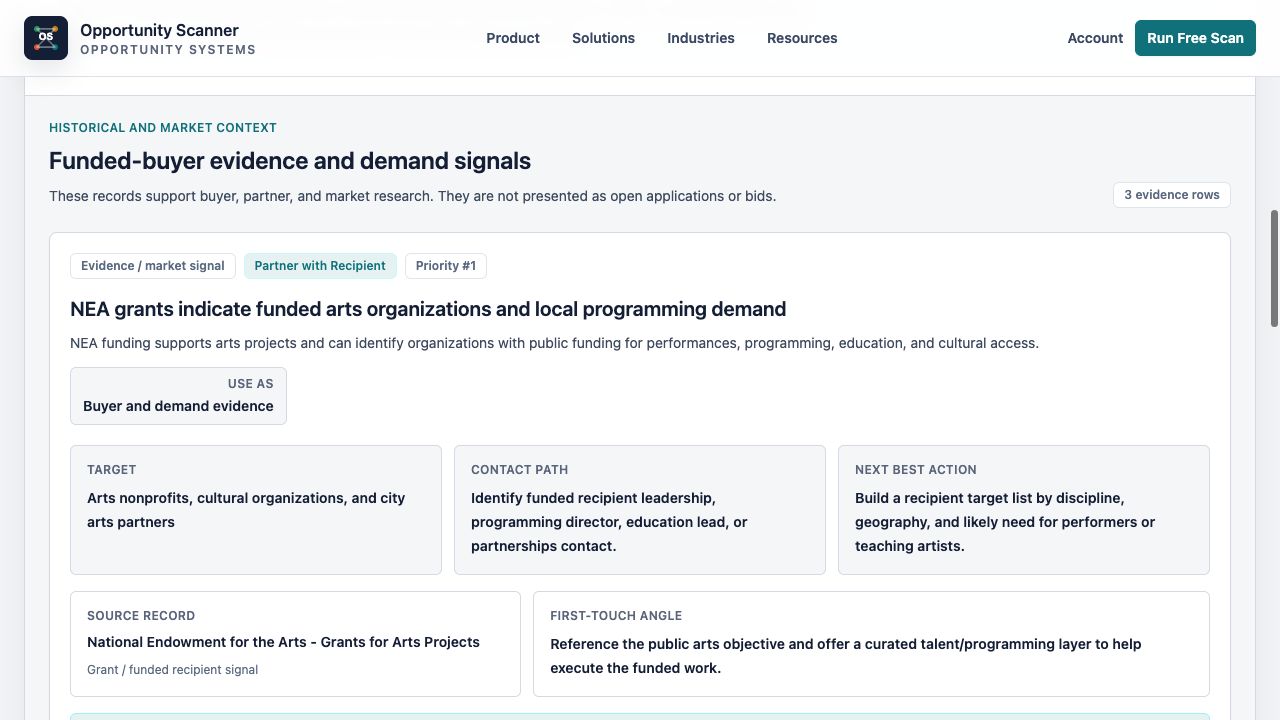
Use Sell to Funded Buyer when an official award identifies a recipient with a plausible implementation need. Use Partner with Recipient when the company's role is complementary and the recipient has a credible partnership route. Neither motion should be assigned to a prospective applicant or a list of likely grantees before an award is official.
Research Only and Monitor Policy protect early evidence from becoming inflated pipeline. A program history can reveal recurring priorities. A policy notice can indicate future service requirements. An agency plan can identify a target office. Keep those rows dated and scheduled for review until a current funding, procurement, or recipient action appears.
Follow the funding to the delivery organization
USAspending can identify federal assistance awards, recipients, agencies, award descriptions, and places of performance. HHS's Tracking Accountability in Government Grants System, or TAGGS, provides grant-award information for HHS. Agency award pages from HRSA, ACF, HUD, and DOJ can add program-specific context. Use the official record to confirm who received what and for which purpose.
Then verify the organization itself. The IRS Tax Exempt Organization Search can show tax-exempt status and filings, including Form 990 information where available. IRS cautions that legal names and database coverage have limitations, so use EINs and determination information carefully. Tax-exempt status does not prove that an organization holds a particular award or needs a vendor.
The recipient's own program, procurement, partnership, and leadership pages determine the practical route. A grant manager may answer program questions but may not buy software or services. Procurement, program operations, partnerships, finance, or executive leadership may be more appropriate depending on the action. Preserve source-native contacts before using enrichment.
Qualify delivery and compliance capacity
A mission fit is not enough for Direct Apply. Check eligible activities, geography and population, period of performance, budget rules, match or cost sharing, evidence requirements, subaward permissions, data collection, reporting, audit, and organizational capacity. Read the current notice and attachments rather than relying on a summary.
For agency contracts, check procurement status, scope, licensing, staffing, insurance, background checks, data privacy, service standards, and vendor registration. For funded-buyer and partner paths, confirm that the proposed service is allowable and that the recipient has a procurement or partnership route. Do not suggest bypassing competition or grant conditions.
HUD's funding page, for example, distinguishes forecasted and published NOFOs and points applicants to Grants.gov and registration requirements. HRSA likewise separates funding opportunities, awards, and grants management. Those official distinctions should remain visible in the action table.
Build the community-services action row
Record source and retrieval date, program, agency, status, eligibility, geography and population, applicant or recipient, award evidence, service-delivery need, target, revenue motion, contact path, next action, owner, deadline or review date, and disqualifier. Link the funding notice, award record, and recipient evidence separately.
Illustrative example: a posted grant is limited to local governments and nonprofits. An eligible nonprofit may create a Direct Apply row with an authorized grants owner and a next action to review the complete notice. An ineligible software company should not. It may create Research Only and monitor official awards for recipients whose implementation plans support a vendor need. No award or sale is assumed.
Illustrative example: a county posts a human-services procurement. A qualified provider may use Sell to Agency with the county procurement office as the contact path. A training or technology vendor might instead research subcontracting or the eventual award recipient, but only when official scope and route evidence support that motion.
Run a disciplined funding and recipient review
Review Grants.gov and agency pages for current notices, official award systems for recipients, USAspending for federal assistance context, IRS TEOS for organization validation, and state or local procurement portals for service contracts. Keep application, procurement, recipient, partner, and monitor lanes separate.
Promote only rows with verified status, eligibility or recipient evidence, organizational capacity, a plausible delivery need, and an official next action. Assign one owner. Remove expired notices, speculative recipients, failed eligibility, unsupported vendor needs, and records with no credible route.
Opportunity Scanner can make the funding pathway and next action clearer. It does not determine legal eligibility, allowability, tax status, application quality, procurement responsibility, recipient demand, access, or award outcomes.
Community-services opportunity qualification checklist
- 1Confirm the official notice, program, agency, status, dates, geography, and eligible entities.
- 2Read application instructions before assigning Direct Apply.
- 3Separate forecasted, posted, closed, awarded, and historical records.
- 4Verify recipients through official agency, TAGGS, or USAspending records.
- 5Validate nonprofit identity and status through IRS TEOS where relevant.
- 6Choose Direct Apply, Sell to Agency, Sell to Funded Buyer, Partner with Recipient, Monitor Policy, or Research Only.
- 7Check allowable activities, reporting, match, staffing, procurement, privacy, licensing, and delivery capacity.
- 8Preserve source-native contacts and official procurement or program routes.
- 9Assign one owner, next action, deadline or review date, and disqualifier.
- 10Do not describe applicants as recipients or funding context as an active buyer need.
Charts and visual evidence
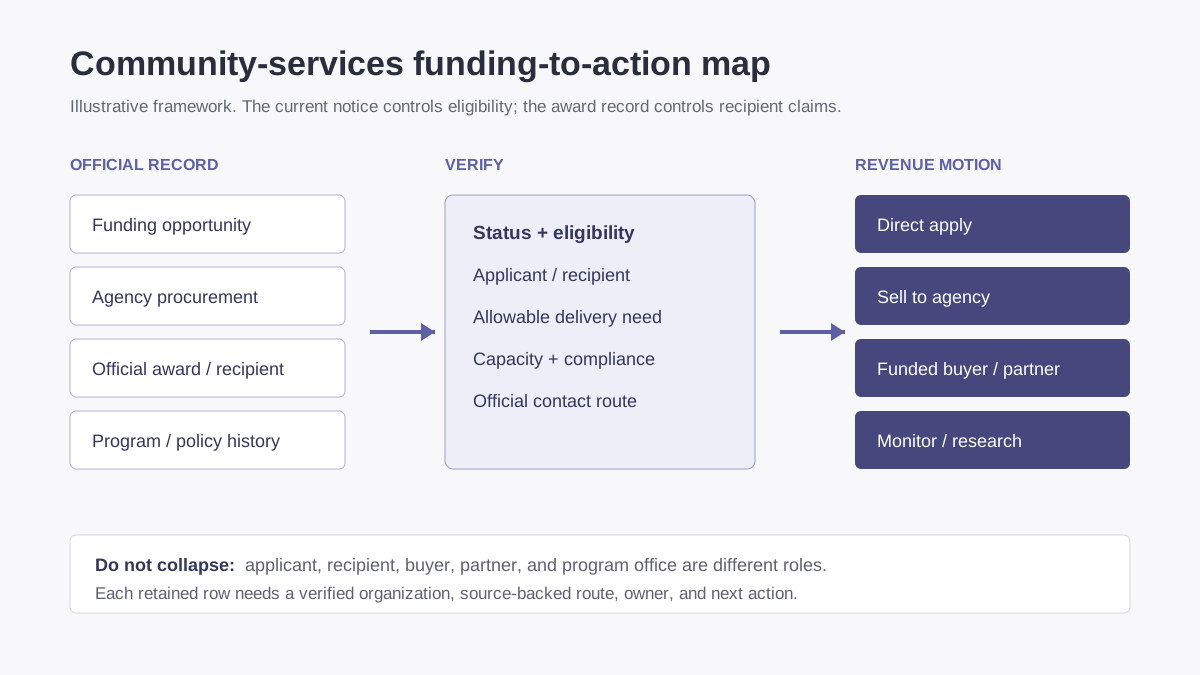
Community-services funding-to-action map
Eligibility, procurement, recipient, and policy records create separate motions; a grant search result is not one generic opportunity.
Open visual full sizeIllustrative framework; it does not show measured funding, eligibility, recipient demand, or results. Source: Illustrative Opportunity Scanner framework based on Grants.gov, USAspending.gov, HHS TAGGS, HUD, HRSA, IRS TEOS, and official procurement sources
Sources cited
Put this into the product
Run a free scan to separate direct funding, agency sales, funded-recipient, partner, and monitoring paths for your organization.
Opportunity Scanner classifies the evidence, opens the official route, and lets you start a pursuit with an owner, fit decision, next step, internal due date, and notes.
Scan Your Company WebsiteKeep exploring
Related reads
Industry Guides
Infrastructure Opportunities for Construction Companies
A source-backed workflow for finding infrastructure projects, public owners, funded recipients, primes, subcontracting routes, and supplier demand.
7 min read
Industry Guides
Clean Energy Public-Sector Opportunities
How clean-energy and facilities companies can distinguish grants, rebates, procurement, policy, funded buyers, and implementation routes.
7 min read
Industry Guides
Manufacturing and Supply Chain Public-Sector Demand
A practical source-to-action guide for manufacturers, suppliers, logistics providers, and industrial service companies pursuing public-sector demand.
7 min read