
How to Use Sample Opportunity Reports to Plan Public-Sector Outreach
Use industry sample reports to evaluate public-sector fit, understand opportunity evidence, and plan more relevant outreach.
Quick answer
The short answer
A sample opportunity report gives your team a concrete way to evaluate an unfamiliar public-sector revenue channel. It shows how official records can become target organizations, revenue motions, contact paths, caveats, and next actions. The company context and recommended actions may be illustrative, so use the sample to understand the method, then scan your own company before deciding what to pursue.
Key takeaways
- Choose the sample closest to your industry, offer, and business model.
- Separate verified source facts from illustrative analysis and suggested actions.
- Use a company-specific scan and current source record before beginning outreach.
Choose a sample that resembles your business
Start with the closest combination of industry, offer, geography, and customer type. A DME supplier should study procurement, funded-provider, and distributor routes. A creative-services company may learn more from city events, arts funding, tourism, and recipient partnerships. A workforce platform should look for agency, school district, workforce-board, and funded-partner paths.
The closest sample is not necessarily the one with the largest dollar figures. Look for familiar buying processes, delivery requirements, target organizations, and revenue motions. Those similarities make it easier to judge whether the approach could fit your team.
Read the disclosure carefully. A fictional company profile helps explain why a row was selected, but it is not a customer result. Real public records should remain linked, dated, and labeled by status so you can inspect the evidence yourself.
Separate source facts from report analysis
Official records establish facts such as the issuing agency, recipient, award amount, notice type, deadline, eligibility language, and record status. The report adds interpretation: why the signal may fit, which organization to target, which revenue motion makes sense, and what your team could do next.
Source type changes the action. A SAM.gov solicitation may support a bid decision. A USAspending award usually shows historical money flow, an incumbent, or a funded recipient. A Grants.gov notice controls application eligibility. A procurement forecast can justify preparation or monitoring but does not guarantee a future solicitation.
Keep the caveat beside the recommendation. An old award is not open budget, an applicant is not a funded recipient, and a plausible implementation need is not confirmed demand. This distinction protects your team from building outreach on an assumption.
Use the revenue motion to plan outreach
The revenue motion tells you how value could move between your company and the target. Direct Apply, Sell to Agency, Sell to Funded Buyer, Partner with Recipient, Channel or Distributor Motion, Monitor Policy, and Research Only require different owners and first steps.
Build the message around the public need and the target's role. For an agency procurement, follow the notice instructions and official contact route. For a funded organization, validate its program role and look for procurement, operations, partnerships, or program leadership. For a prime contractor, investigate the supplier or subcontracting path.
A useful first touch asks a specific routing or fit question. It should not claim that funding is available, that a meeting is expected, or that the recipient needs your product unless the source supports that statement.
Verify the live record before anyone acts
Open the official source again before outreach. Confirm the notice status, amendment history, response deadline, eligibility, place of performance, and response instructions. For historical awards, verify the recipient and period of performance before treating the record as account research.
Use official agency routes and source-native contacts when they control the process. Contact enrichment is more appropriate for validated private recipients, primes, partners, and vendors, and it should focus on the role connected to the opportunity rather than any available executive.
Record the source review date, owner, next action, due date, and stop condition in your CRM or workflow. Accurate subject lines, sender identity, a valid postal address, a working opt-out path, and prompt suppression handling are required for compliant commercial email, including B2B outreach.
Run your own scan before committing resources
A sample can show what a strong opportunity row looks like, but it cannot establish fit for your company. Run a scan using your website and give it enough context to understand your offer, target geography, customer type, and priority signal lanes.
Review the returned sources and reject rows that fail eligibility, timing, capacity, geography, or buyer-fit checks. A truthful Research Only or do-not-pursue decision is more valuable than a long list of weak leads.
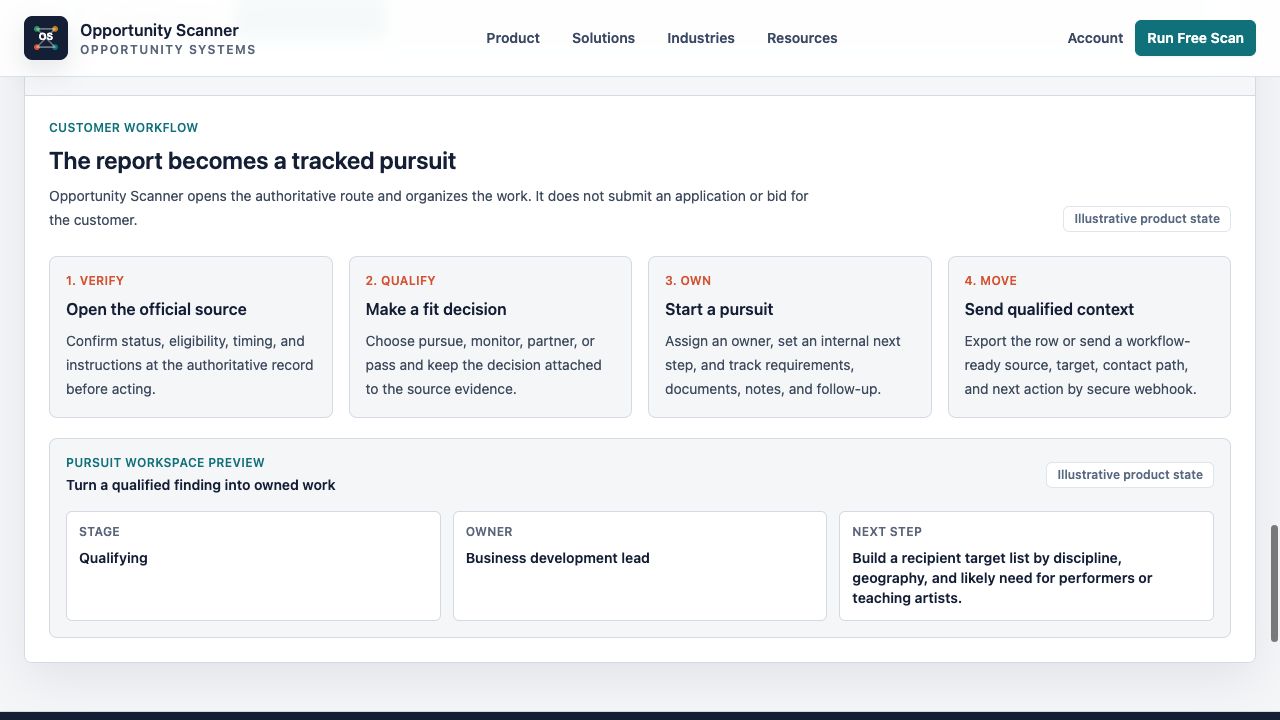
Move qualified rows into your normal sales, partnerships, or research workflow. Assign one owner and one next step, then update the row when the public record changes.
Sample-report evaluation checklist
- 1Choose the closest industry, offer, geography, and business model.
- 2Confirm which company details and actions are illustrative.
- 3Open the linked official records and check dates and status.
- 4Separate source facts from fit analysis and recommendations.
- 5Identify the target, revenue motion, contact path, and next action.
- 6Review rejected rows and stated disqualifiers.
- 7Run a company-specific scan before beginning outreach.
- 8Recheck live sources, deadlines, eligibility, and response instructions.
- 9Assign qualified rows to an owner in your existing workflow.
Charts and visual evidence
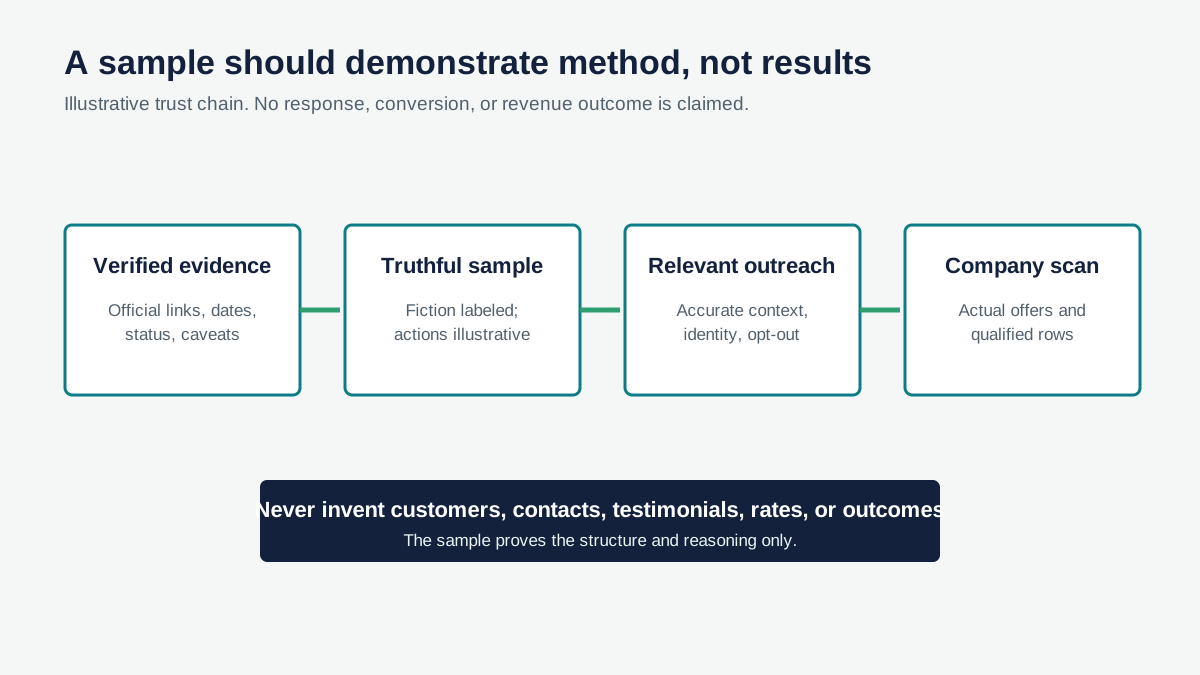
Illustrative sample-report trust chain
A sample earns trust when real sources, explicit labels, useful actions, and compliant outreach remain connected.
Open visual full sizeIllustrative framework. Samples demonstrate method and do not promise outcomes. Source: Illustrative Opportunity Scanner framework informed by FTC, USAspending, SAM.gov, and Grants.gov guidance; no measured conversion claim.
Sources cited
Put this into the product
Review a source-backed industry sample, then scan your company to build an action table around your actual offers.
Opportunity Scanner classifies the evidence, opens the official route, and lets you start a pursuit with an owner, fit decision, next step, internal due date, and notes.
Scan Your Company WebsiteKeep exploring
Related reads
Public-Sector Sales
Why Government Spending Is an Overlooked Growth Channel for Businesses
A practical guide to using contracts, awards, grants, recipients, and forecasts as evidence for new public-sector revenue paths.
7 min read
Public-Sector Sales
How to Build a Public-Sector Sales Pipeline Without a GovCon Team
A practical 30-day market test for companies that want to validate public-sector demand before hiring a capture team.
10 min read
Public-Sector Sales
Public-Sector Deal Flow for Commercial Companies
A practical system for turning official public-sector records into qualified commercial deal flow, owned actions, and honest stop decisions.
8 min read